
Quick service restaurant POS system - 10 essential features
A quick service restaurant POS system handles orders from every channel, processes payments fast, organises the kitchen, and generates the reporting data operators need to run a tight operation. The best systems also integrate with third-party delivery platforms, support online and app ordering, and include tools for inventory, staff scheduling, and food safety. Here are the 10 features that separate a capable QSR POS from a basic one.


A quick service restaurant runs on speed. Customers expect to order fast, pay fast, and receive their food fast. A slow or unreliable POS system is not just an inconvenience - it directly costs you revenue, creates queues, and puts pressure on your kitchen team at the worst possible moments.
But a modern QSR POS system does a lot more than process payments at the counter. It connects your in-store operation with your online ordering channels, manages your kitchen, tracks your inventory, and gives you the data you need to make better decisions. Choosing the right one has a real impact on how efficiently your restaurant runs and how profitable it is.
Here are the 10 features that matter most when evaluating a POS system for a quick service restaurant.
10 features of a quick service restaurant POS system
1. Multichannel order management
At its core, a QSR POS needs to handle orders coming in from every channel without friction. That means in-store counter orders, self-service kiosks, online ordering via your website or app, and third-party delivery platforms - all flowing into a single system.
When orders from different channels require manual re-entry into a separate POS terminal, you create opportunities for errors, delays, and frustrated customers. A properly integrated system brings every order type into one place, giving your kitchen a single, organised view of what needs to be made and in what order.
Payment processing needs to match this flexibility. Customers should be able to pay by credit card, debit card, mobile wallet, Apple Pay, Google Pay, or contactless without any friction at the point of sale.
2. Customer display system
A customer display system (CDS) is the screen facing the customer at the counter or kiosk. It serves several purposes depending on how you configure it.
During service, it shows the customer their order and total in real time, reducing disputes and improving accuracy. Between orders it can display your digital menu, promote upsells and special offers, or simply show your brand. For restaurants with a collection model, it can display order status so customers know when their food is ready without needing to ask.
A well-configured CDS also reduces pressure on counter staff by giving customers the information they need directly, rather than relying on them to ask.
3. Kitchen display system
A kitchen display system replaces paper tickets in the kitchen with one or more screens that display live orders, prioritise them by channel or preparation time, and route them to the right station.
For a busy QSR kitchen, this is one of the highest-impact features available. Orders can be colour-coded by type or urgency so your team can see at a glance what to focus on next. Timing prompts help coordinate preparation across different stations, so a portion of fries is ready at the same time as the burger it is going with.
A KDS connected to your POS also captures preparation time data, which feeds into your reporting and helps you identify bottlenecks during peak service periods.
4. Third-party delivery integration
Most QSRs now receive a meaningful volume of orders through third-party delivery platforms such as Uber Eats, Deliveroo, or DoorDash. Without a direct integration, every one of those orders arrives on a separate tablet and requires a member of staff to manually re-enter it into your POS.
A POS with delivery integration pulls those orders in automatically, eliminating re-entry errors, reducing staff workload, and ensuring your kitchen sees third-party orders alongside your direct orders in the same queue. This is table stakes for any QSR operating at volume.
The best systems also give you consolidated reporting across all platforms, so you can see your total order volume and revenue in one place rather than logging into multiple dashboards.
5. Central menu management
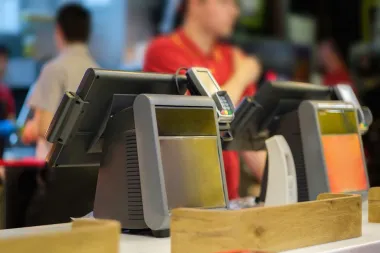
Managing a menu across multiple channels separately is time-consuming and error-prone. If you update a price on your in-store POS but forget to update it on your delivery platforms and your own app, you end up with inconsistent pricing and potential order disputes.
Central menu management solves this. One change in your POS pushes out automatically to every channel: your in-store terminals, kiosks, website, mobile app, and third-party platforms. It is faster, more accurate, and means you can respond to pricing changes or item availability in real time without a manual process for each channel.
6. Inventory management
Inventory management built into your POS lets you track stock levels in real time and connect usage data to your sales. When an item runs low, you can configure alerts so your team knows before it runs out during a busy service period rather than after.
More sophisticated inventory tools connect to your suppliers for real-time pricing and allow you to set par levels for automatic reordering. Over time, your sales data and inventory data together give you a clear picture of waste, over-ordering, and which menu items are eating into your margins. This kind of visibility has a direct impact on food cost control, which is one of the biggest levers available to a QSR operator.
7. Staff scheduling and management
Your POS generates detailed data on when orders peak by day, time, and channel. Staff scheduling tools that sit within your POS let you use that data directly, rather than scheduling from memory or instinct.
If your reporting shows that Thursday evenings have consistently produced higher delivery volumes over the last month, you can schedule an extra team member specifically for that window. Clock-in and clock-out tracking, customisable staff permission levels, and payroll reporting from a single system reduce the administrative overhead on your managers and give them better visibility over labour costs.
8. Real-time driver tracking
For QSRs with a delivery operation, driver tracking integrated into your POS gives you visibility over where your drivers are and how long deliveries are taking. This helps you manage driver allocation during busy periods and gives you the data to identify where delays are occurring.
From a customer experience perspective, sharing a live tracking link with the customer removes the most common source of post-order contact: customers calling to ask where their order is. Keeping customers informed reduces inbound calls, improves satisfaction scores, and frees up your front-of-house team during service.
9. Reporting and analytics
A QSR generates a large volume of transactional data every day. A POS with strong reporting and analytics tools turns that data into something you can act on.
Look for a system that provides real-time sales data, order volume by channel, average transaction value, peak trading periods, and product performance. Cloud-based reporting means you can access this from any device, which is particularly valuable for multi-site operators who need visibility across locations without being physically present in each one.
Waste and inventory reports alongside sales data give you the full picture of what your margins actually look like, rather than relying on end-of-month accounting to spot problems that occurred weeks ago.
10. Health and food safety management
Food safety compliance is non-negotiable, but managing it manually is time-consuming and easy to let slip during a busy service. A POS with built-in health and food safety management tools brings checklists, temperature logging, and hygiene documentation into the same system your team is already using.
Digital temperature records, scheduled hygiene checklists, and cloud-based storage of your compliance documentation mean that everything is in one place, timestamped, and accessible if you are ever inspected. It also builds a consistent routine for your team, which reduces the risk of safety issues arising from corners being cut during a busy shift.
What to look for when choosing a QSR POS
Beyond individual features, there are a few broader criteria worth applying when evaluating a POS system for a quick service restaurant.
Reliability. A POS failure during peak service is catastrophic for a QSR. Look for a system with a strong uptime track record and an offline mode that allows you to keep taking orders even if your internet connection drops.
Cloud-based architecture. A cloud-based POS gives you remote access to reporting, allows software updates to happen without downtime, and makes it easier to manage multiple sites from a single system.
Integration depth. The value of a POS system is largely determined by how well it integrates with the other tools in your operation. Check that it connects natively with the delivery platforms you use and the other software in your stack before committing.
Support. When something goes wrong during service, you need help fast. Evaluate the support offering as carefully as the product itself.